Too many separate tools? No clear overview? Grow without the chaos?
We build one system around how your business actually works: customers, orders, planning and invoices in one place.
Affordable custom software. Live in weeks, not months or years.
Account statement
Your Company LtdNL00 DEMO 0000 0000 00
- Direct debit Salesforce€ •••,••
- Direct debit HubSpot€ •••,••
- Direct debit Microsoft Dynamics 365€ •••,••
- Direct debit Zoho CRM€ •••,••
- Direct debit Pipedrive€ •••,••
- Direct debit monday.com€ •••,••
- Direct debit Teamleader€ •••,••
- Direct debit Exact Online€ •••,••
- Direct debit Mailchimp€ •••,••
- Direct debit Calendly€ •••,••
- Direct debit Typeform€ •••,••
- Direct debit Docusign€ •••,••
- Direct debit Notion€ •••,••
- Direct debit Zapier€ •••,••
- + 9 more
subscriptions: 14
- AYour own environment per client, hosted in Europe
- BEmails, invoices and portals in your own branding
- CYou own your data, always
- DLive in weeks, not months or years
01 — Work
From workshop to payroll.
Each case shows everything: modules, portals, automatic emails, invoices and documents. Recorded with demo data.
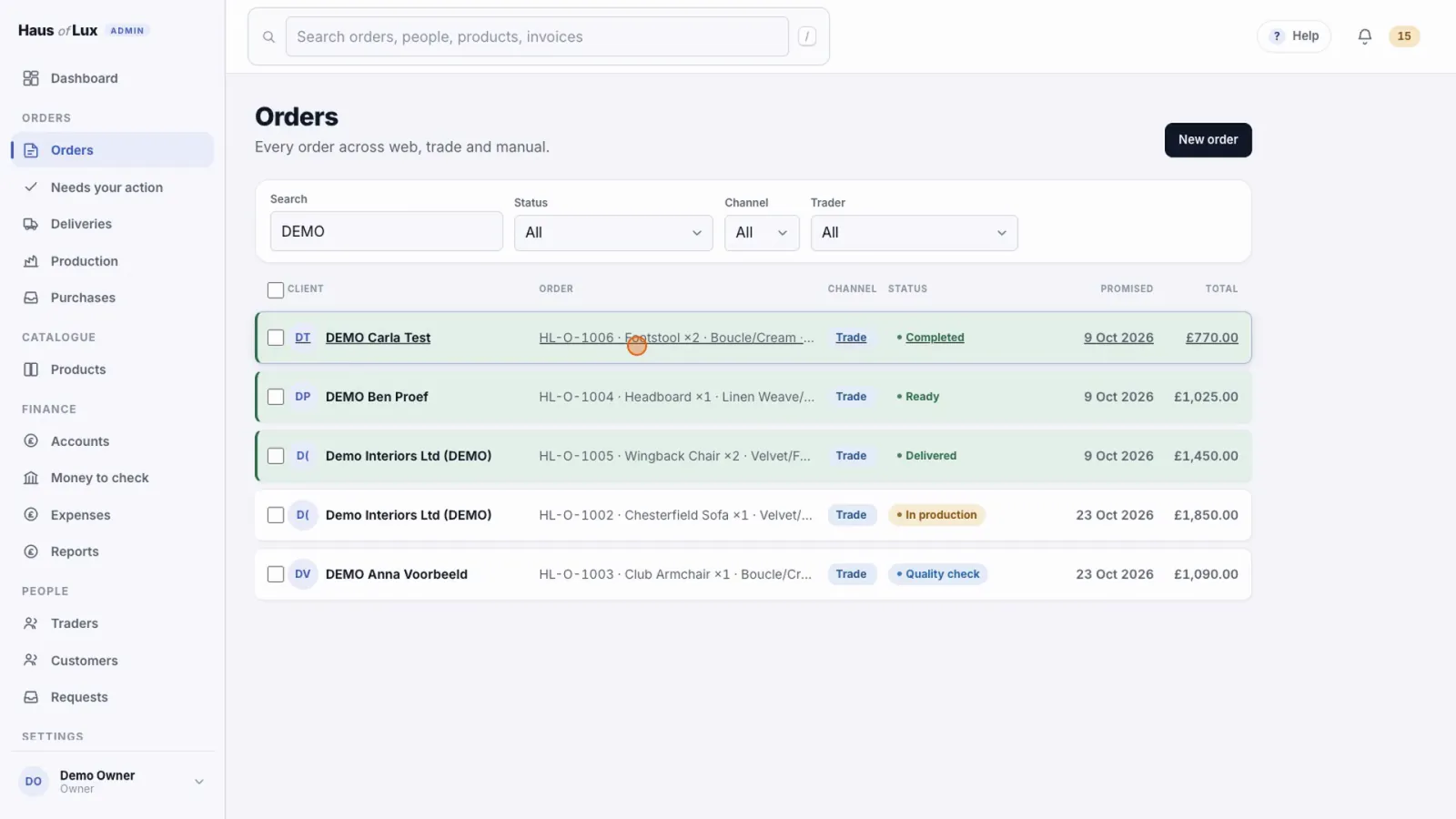
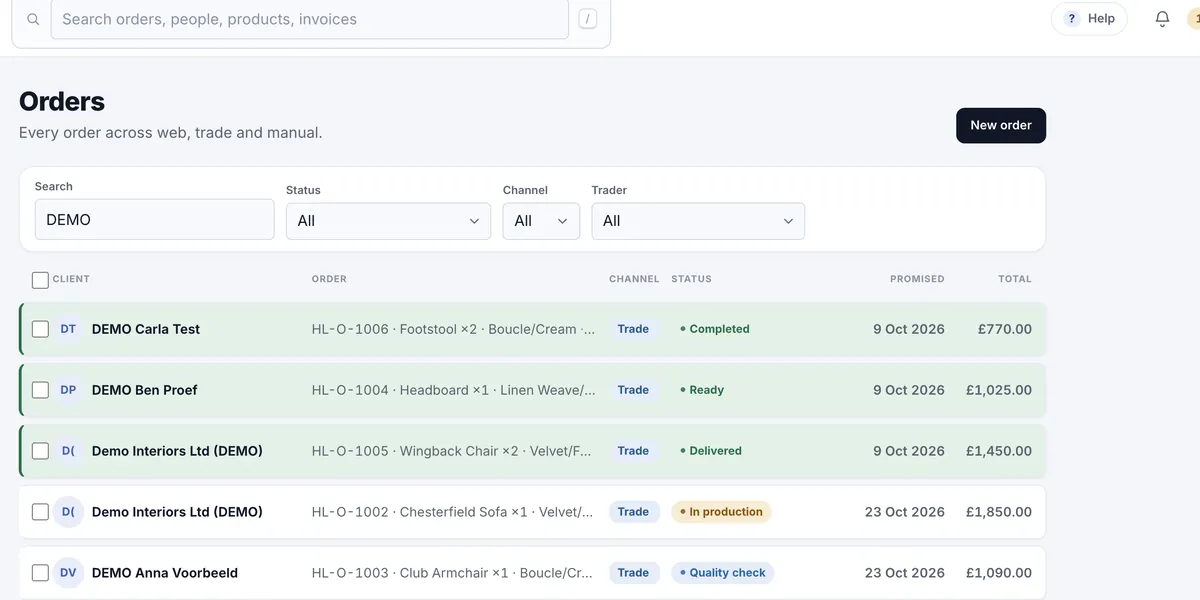
Haus of Lux
From order to delivery: production per workstation, courier portal, invoices and payment reminders.
- Orders
- Production
- Courier portal
- Invoices
- Trade portal
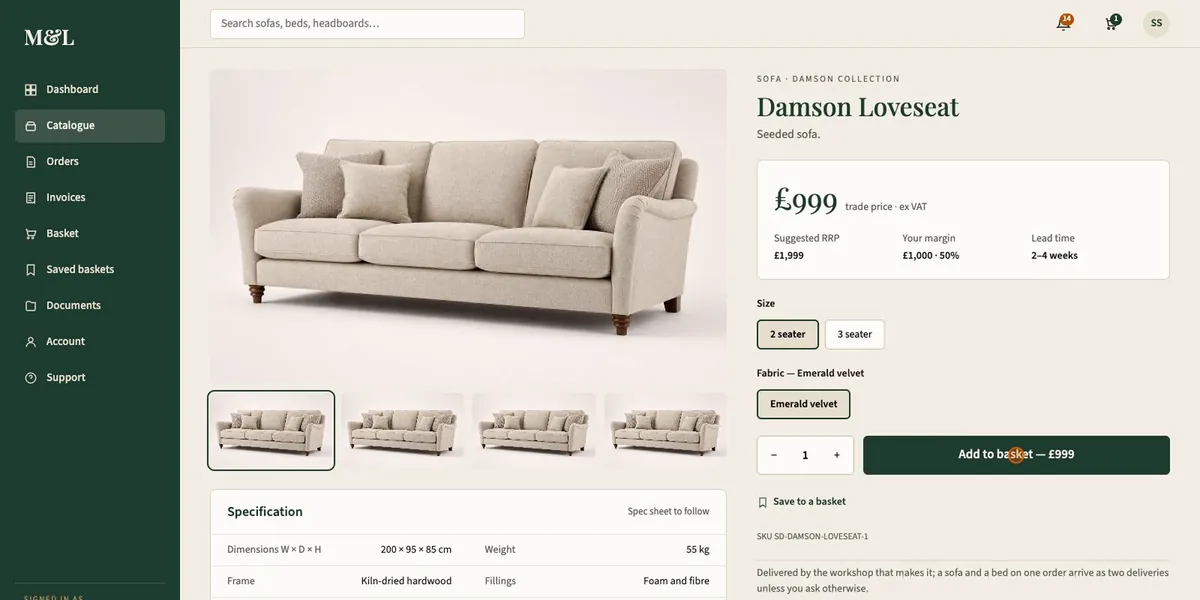
M&L Traders
Approved traders order sofas, beds and headboards in one place, with their own payment terms.
- Application & approval
- Ordering
- Payment terms
- Invoices
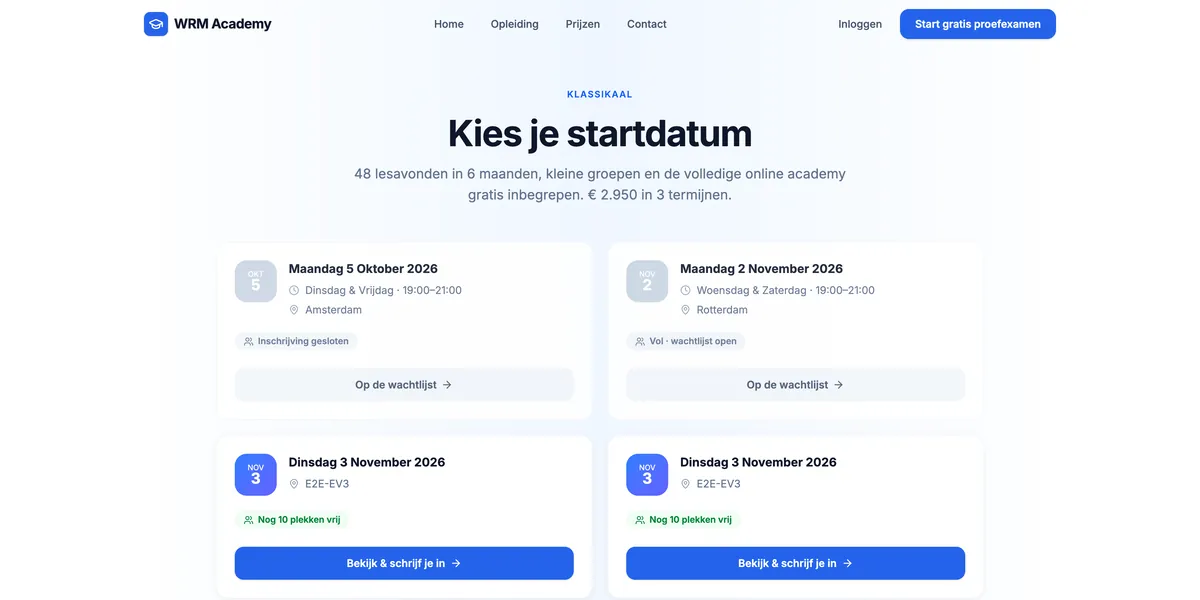
WRM Academy
Training for driving instructors: online lessons, practice exams, a trial period with an email series, invoices and referrals.
- Lessons
- Practice exams
- Email series
- Invoices
- Referral programme
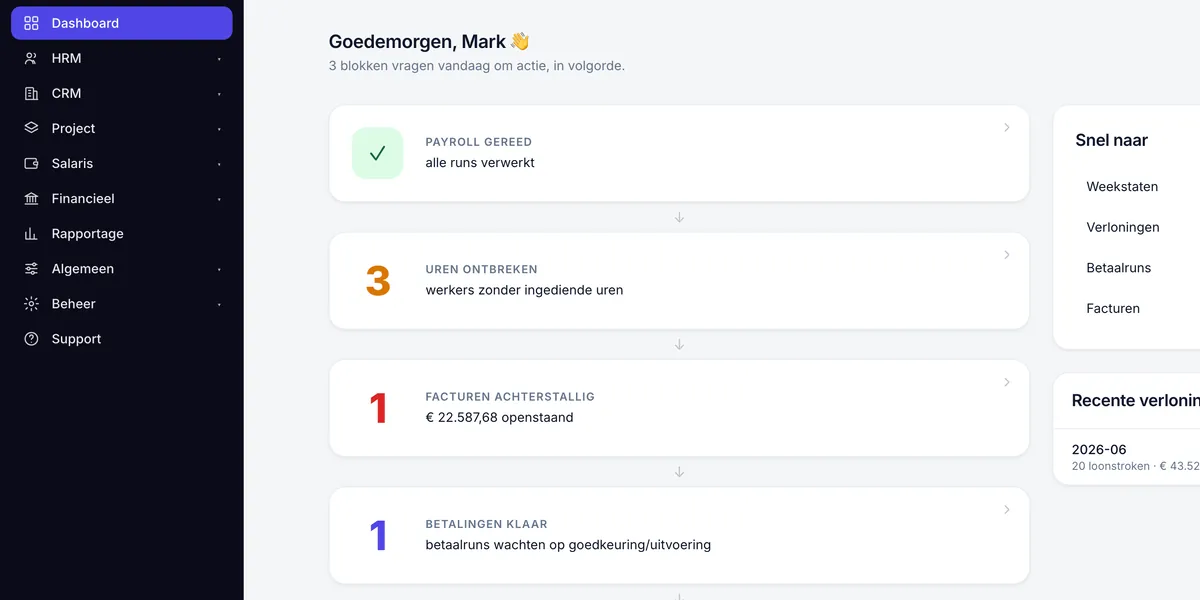
PayrollPro
Payroll platform for multiple organisations, with a command centre, client portal and employee portal.
- Command centre
- Client portal
- Employee portal
- Payslips
02 — Why us
No off-the-shelf package your business has to squeeze into.
A separate subscription for every tool, often per user. Integrations that break. And you adapt your work to the software, instead of the other way round.
- 1
Built around your process
We don't start with software, we start with your working day. Every screen and every button belongs to a step your team already takes.
- 2
Secure and GDPR-compliant
Permissions enforced in the database, not just on screen. Your own environment in Europe, an audit trail, backups and a data processing agreement.
- 3
Your data belongs to you
A full export whenever you want, in your own isolated environment. No lock-in.
- 4
Everything in one place
Customers, orders, planning, invoices and emails in one system. No separate integrations that break.
| Separate tools | CRM Atelier | |
|---|---|---|
| Systems | 4 to 8 | 1 |
| Subscriptions | per tool, often per user | one fixed monthly fee |
| Integrations | Zapier or Make in between | not needed |
| Way of working | you adapt to the tool | built on your process |
| Your data | spread across vendors | in one place, in Europe |
- Affordable: a fixed monthly price, no large upfront investment
- One partner for CRM, portal, platform and website
- Small changes are included in your monthly price
03 — Benefits
What you gain
- 01
Time back.
Work your team now does by hand — retyping, sending reminders, making invoices — happens on its own.
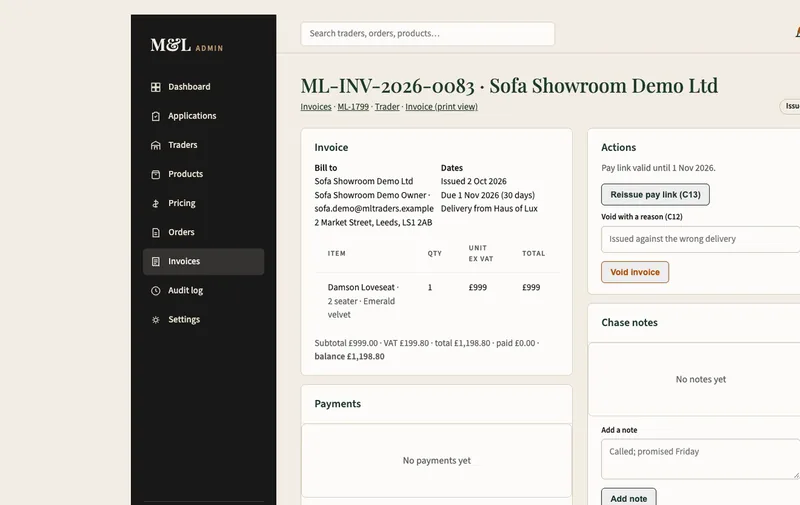
Example · M&L Traders
As soon as a delivery is confirmed or dispatched, the system creates the invoice itself, with a payment link valid for 30 days.
View the case → - 02
A more productive team.
Your people get on with their craft, not with lists and separate systems.
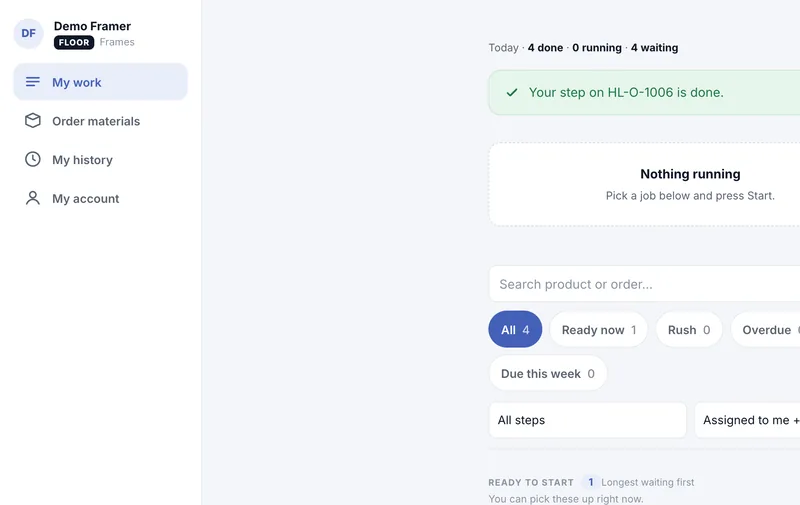
Example · Haus of Lux
When a workshop step is finished, the next one opens on its own and goes to the least busy craftsperson, who is notified straight away.
View the case → - 03
Lower costs.
Fewer hours on admin and no more pile of subscriptions.
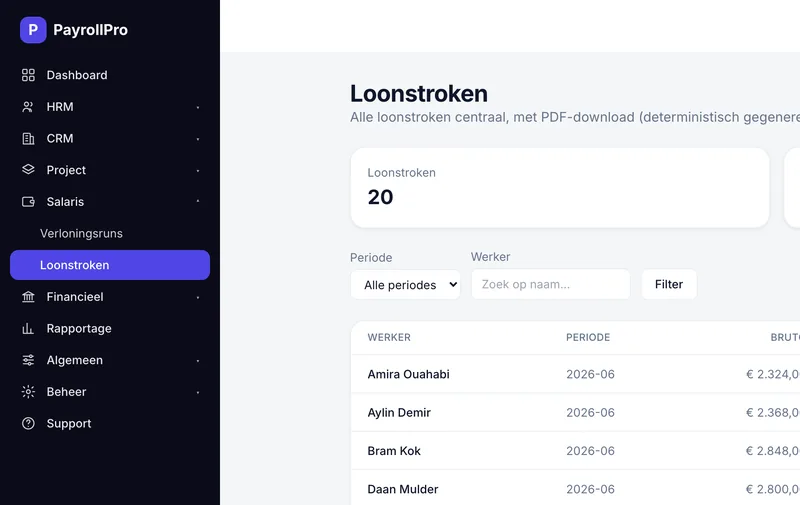
Example · PayrollPro (Dutch platform)
Hours, payslips and the payment file in one system. Once a pay run is approved, the platform turns every payslip into a PDF itself.
View the case → - 04
Better customer contact.
Customers automatically get a confirmation, update and reminder on time. No one is forgotten.
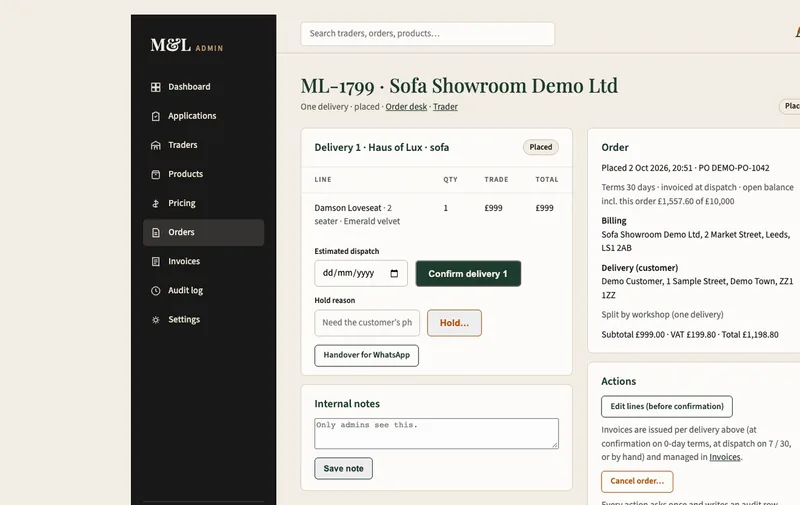
Example · M&L Traders
Traders see a notification in their own portal at every stage of their order: confirmed, in production, dispatched, delivered.
View the case → - 05
Fewer mistakes.
What's entered correctly once never has to be entered again.
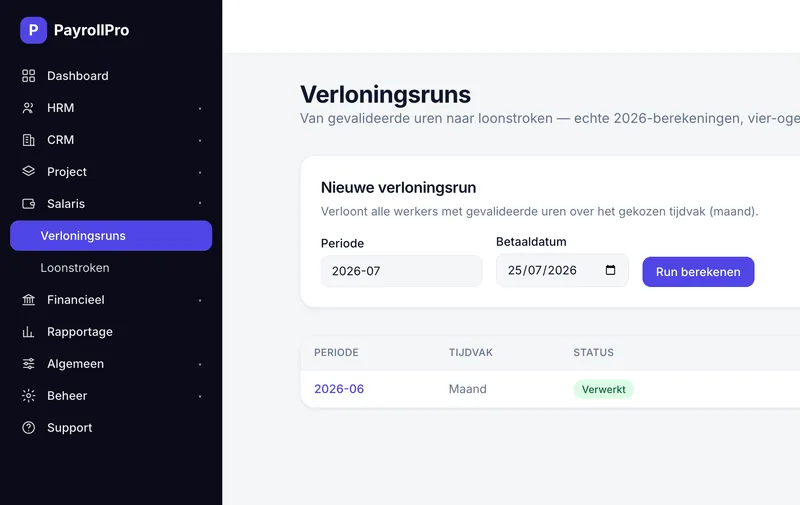
Example · PayrollPro (Dutch platform)
Approved hours go into the payslip and are then marked "paid" automatically, so nobody pays the same hours twice.
View the case → - 06
Full overview.
On one screen you see what's going on: who's working on what, what's done and what's stuck. Without asking around.
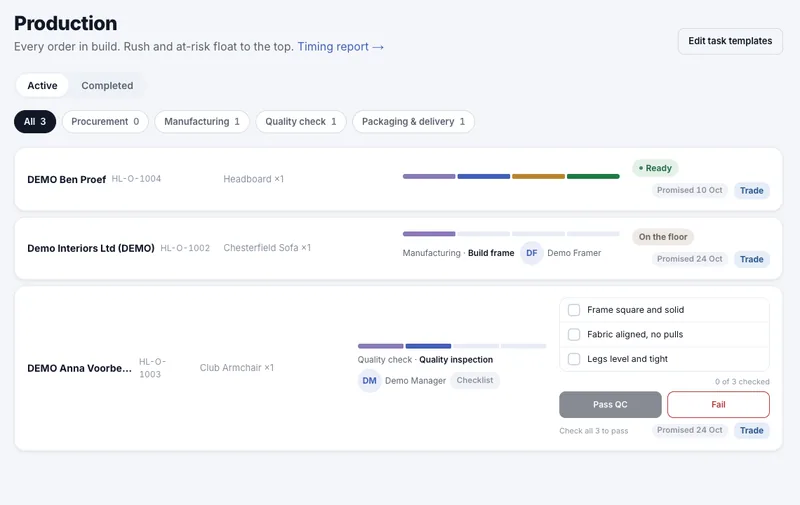
Example · Haus of Lux
The production board shows, for every order, which steps are done, which step is running and who is on it. Every status change, price and payment is logged: who, what and when.
View the case →
04 — Security & GDPR
Security isn't an extra. It's the foundation.
Your own environment in Europe
A separate database and application for each client. Nothing shared with anyone else.
Permissions in the database
Everyone sees only what belongs to their role. Tested per role, not just hidden on screen.
Test and live kept separate
Development never touches real customer data.
Audit trail
Every change records who, what and when.
Backups and recovery
Daily backups, and we practise restoring them. Deletions can be undone.
Data processing agreement
Standard with every project. Data export and deletion on request.
05 — How we work
Measure first. Then make.
- 01
Introduction
A 30-minute conversation about how you work now.
- 02
Mapping the process
We write down how the work really flows, including the messy parts.
- 03
Blueprint
Screens, roles, emails and documents. You sign off before we build.
- 04
Build
In weeks, not months or years. You follow along every week in a test environment.
- 05
Live and beyond
Your data moved over, your team trained. After that, the system grows with you.
06 — Switching over
Your existing data comes with you. Nothing gets lost.
From Excel, Google Sheets, your web shop or your current systems — such as Salesforce, HubSpot, Pipedrive, monday.com, Teamleader, Exact or Mailchimp. We move it over, you check it.
- 01
Gather
All lists and exports in one place. The original stays untouched.
- 02
Review
Duplicate customers, empty fields, messy dates. You get an honest report.
- 03
Trial import
Twice in the test environment. The second time, nothing may come out duplicated.
- 04
You check
Spot checks on screen, next to your old list. We only continue once you approve.
- 05
Switchover day
Backup first, then the import, and your old system goes read-only the same day. Then you cancel the subscriptions you no longer need.
And the other way round too: if you ever want to leave, you take all your data with you in a common format.
07 — After go-live
Your system grows with you. No surprises on your invoice.
Small changes
IN YOUR MONTHLY PRICEA fixed number of hours per month, matched to your system. Just let us know and we'll change it.
- Adding a field or column
- Changing the text of an email or invoice
- Adjusting a status, list or filter
- Setting up an extra employee or role
- Fixing bugs — always, without limit
Larger extensions
FIXED PRICE UPFRONTFirst you get a quote with a fixed price. We only start once you approve.
- A new module, such as scheduling or stock
- A new portal for customers or partners
- A link with another system
- A new automated workflow
- Moving new data over from another system
Not sure whether something is small or large? We'll tell you upfront. You always decide before anything goes on the invoice.
08 — What you get
Everything your business needs. Not just screens.
- Automatic emails in your own branding
- Invoices, quotes and other documents as PDF
- Portals for customers, traders, couriers or employees
- Online payments and automatic reminders
- Roles and permissions per employee
- Works on phone, tablet and desktop
- All your data exportable, always
- Your existing data neatly moved over
- Everything in one system — no separate tools or integrations in between
09 — Contact
Tell us how you work now.
Choose whatever suits you best. No sales pitch — we listen first.